Schedules and configuration
The Configuration tab in Settings holds the defaults used when comparing prices and scraping offers. Everyone on the project can read it, but only owners and admins can change it: for others the fields are disabled.
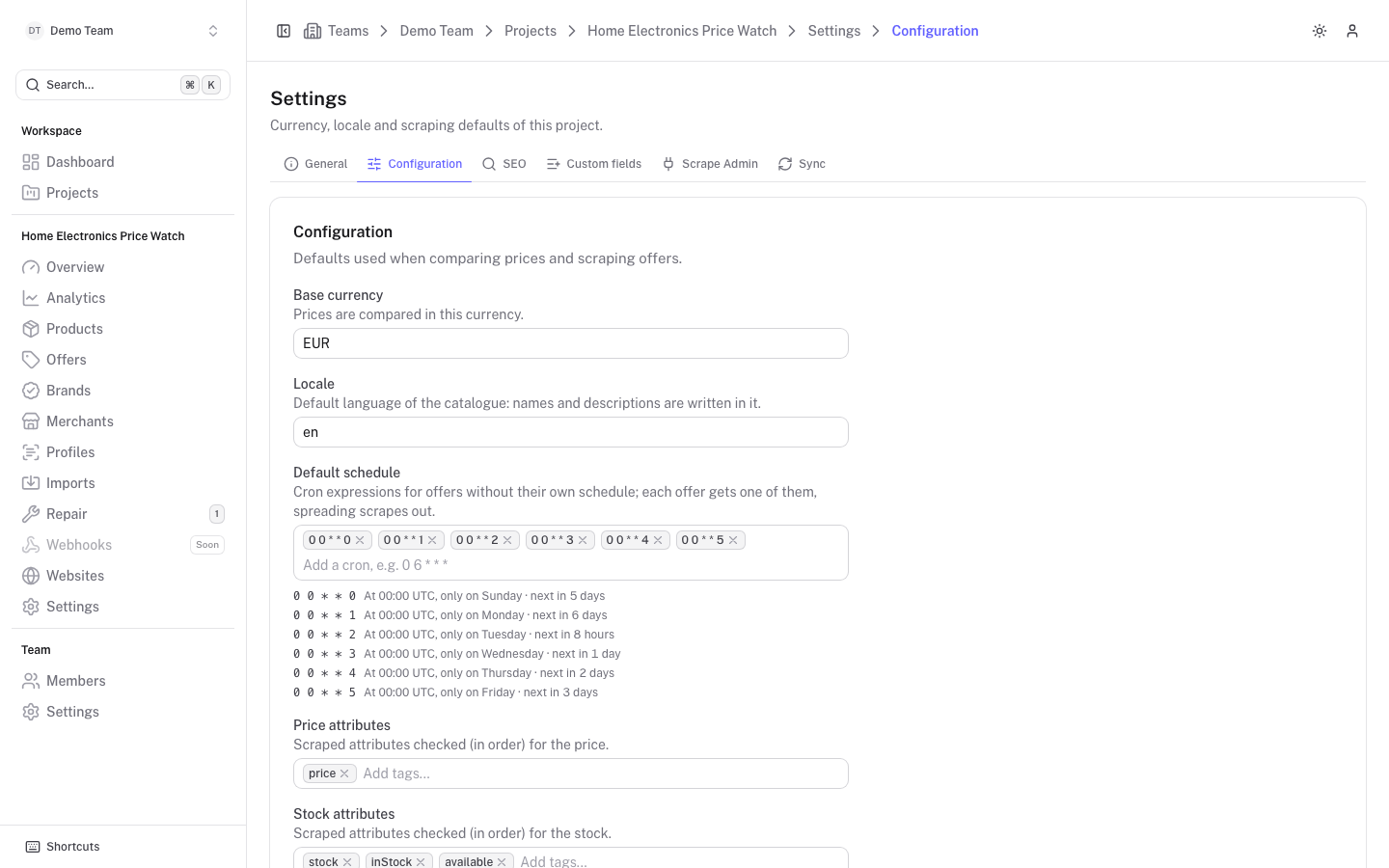
Change the fields you need and click Save changes. Only the fields you changed are saved. Changes to the schedule, attributes or product name format reach Scrape Admin with the next sync.
Default schedule
Default schedule is a list of cron expressions for offers that have no schedule of their own. Each offer is assigned one of them, based on its id, so scrapes are spread out over the list. The assignment is stable: an offer keeps the same expression until the list changes.
The default list runs once a day, Sunday to Friday, at 00:00 UTC (0 0 * * 0 through 0 0 * * 5). A plain-language summary and the next run are shown under each expression. Add an expression with the tag input, for example 0 6 * * *.
An offer can have its own schedule: set Schedule under Advanced when editing the offer, see Offers. The offer page shows the schedule in effect, marked "project default" when it comes from here.
Deactivating offers by status code
Disable on status codes lists the HTTP status codes that deactivate an offer when a scrape returns one of them. The default is 310, 400, 422 and 500. Deactivated offers show up as Paused in Offers and are no longer scraped until you activate them again. Codes must be between 100 and 599.
Other options
| Option | What it does |
|---|---|
| Base currency | Prices are compared in this currency. Base prices in a new currency are recomputed as offers are scraped again. |
| Locale | Default language of the catalogue: names and descriptions are written in it. |
| Additional languages | Languages that brands, merchants and products can be translated into (name, description, SEO texts). Websites serve a selection of the project languages. |
| Price attributes | Scraped attributes checked, in order, for the price. Default price. |
| Stock attributes | Scraped attributes checked, in order, for the stock. Default stock, inStock, available. |
| Name attribute | The scraped attribute holding the product name. Default name. |
| Product name format | How products are named on websites, in pickers, in search and in Scrape Admin entries. Use placeholders such as {brand.name} {product.name}; an example is shown below the field. See SEO templates and Website content. |
| Follow redirects | When on, an offer's URL is updated if its page redirects. Off by default. |
The nightly reconcile toggle is on the Sync tab, see Sync and reconcile.