Websites
A website is a comparison site that reads one project through the public API. A project can have several websites, each with its own token, languages, price display and editorial content. Open Websites in the project sidebar.
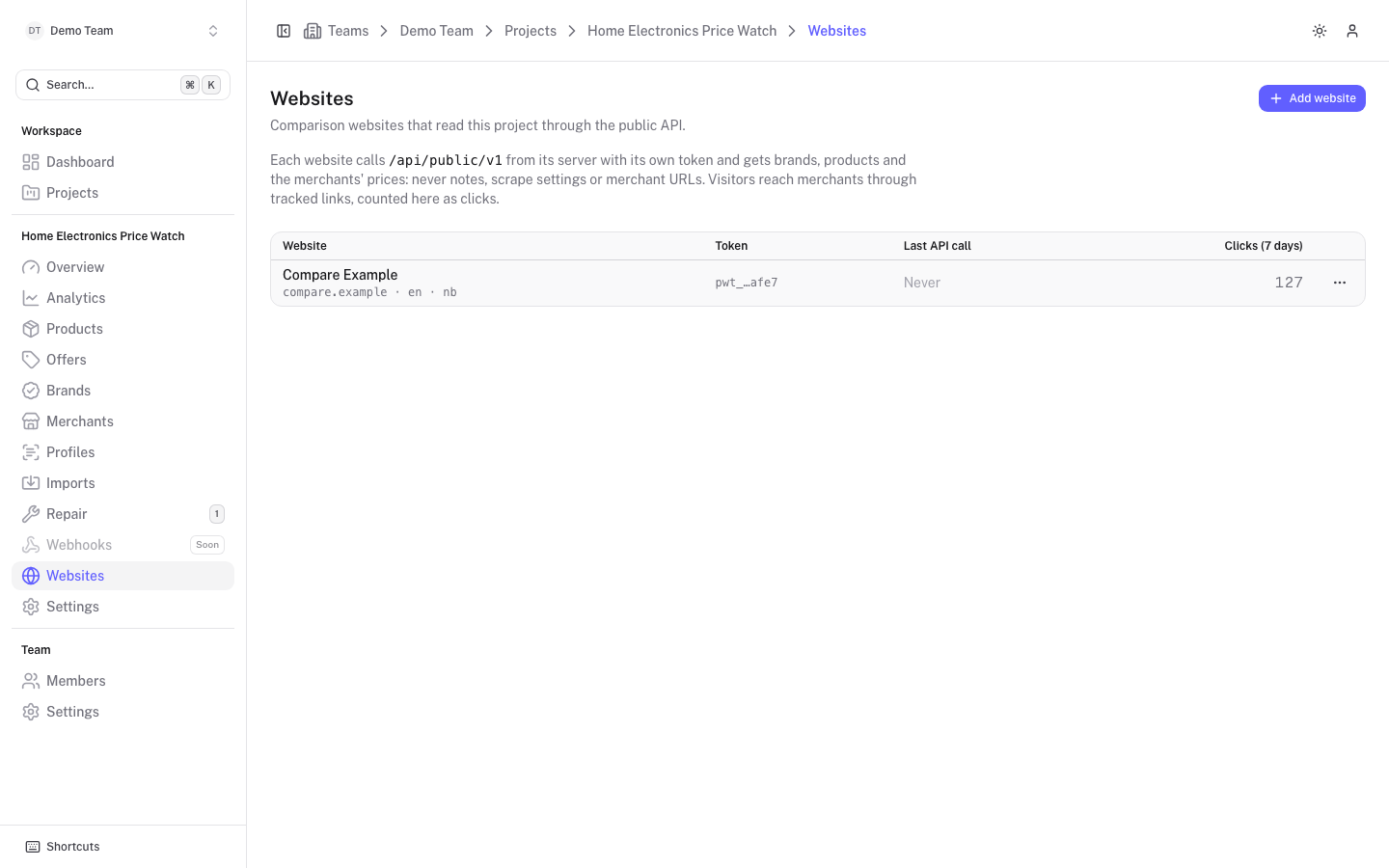
The list shows each website's name, domain and languages (default first), the token ending (pwt_… plus the last four characters), when the token last made an API call, and the clicks of the last 7 days. A Previous token active badge appears after a rotation while the old token still works. A Needs rotation badge means the website has no usable token yet; rotate it to get one.
Add a website
Click Add website
Fill in the New website form:
- Domain (required): the website's hostname without
https://, for examplesnuspris.no. - Name: a display name.
- Default language: the locale served when a request names none or one the website does not serve. Empty uses the project locale.
- Additional languages: other locales the website serves. Leave empty for a single-language website. You can change this later.
Click Create website
The website is created and its token is shown in a dialog.
Copy the token
The dialog Website token shows the token once. Copy it before you click I have stored the token, because only a hash is stored and it cannot be shown again. Store it as a server-side secret of the website, for example in an environment variable, and never ship it to the browser. The dialog also shows a ready-to-run curl command to try it.
If you lose a token, rotate it to get a new one.
Rotate a token
Choose Rotate token in the row menu, or on the website's detail page under API access. After you confirm, a new token is issued and shown once, like at creation.
The previous token keeps working for 24 hours, so the website can be redeployed with the new one without downtime. After that, only the new token is accepted.
Delete a website
Choose Delete in the row menu, or Delete website at the bottom of the detail page. The website's token stops working immediately and its content and click log are deleted. The catalogue itself is not touched.
Website detail
Click a website to open it. The page has two tabs, General and Content.
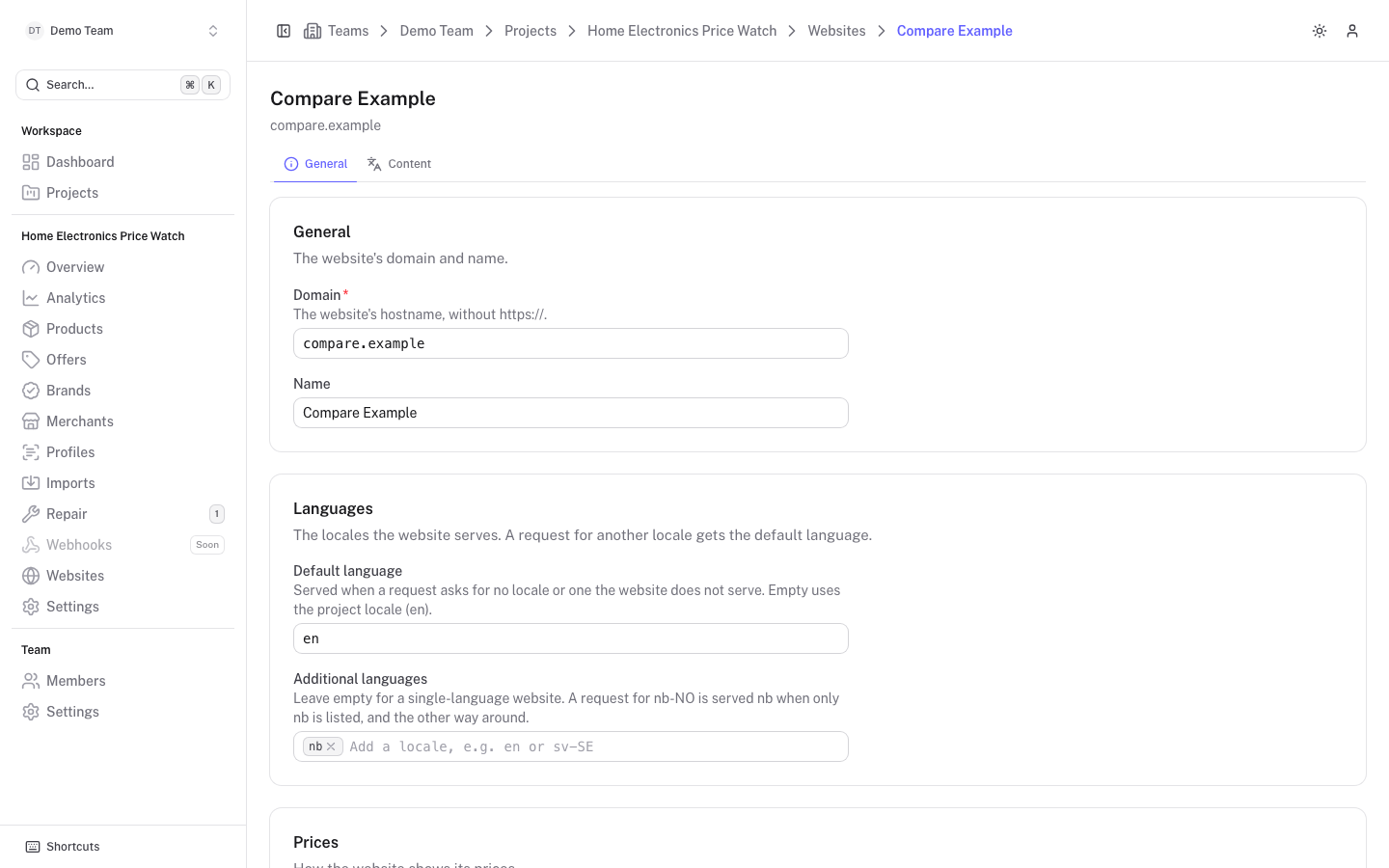
General
Domain and Name as when you created it.
Languages
- Default language: served when a request asks for no locale or one the website does not serve. Empty uses the project locale.
- Additional languages: add locales such as
enorsv-SE. A request fornb-NOis servednbwhen onlynbis listed, and the other way around. Locales are normalised, sonb-nobecomesnb-NO. A website can serve up to 20 languages in total.
If you remove a language that already has content, a warning says the content is kept but no longer served. Add the language again to serve it, or delete it on the Content tab. See Website content for how texts fall back between languages.
Translations of brand, merchant and product names and descriptions are separate: the catalogue languages are set under Settings > Configuration > Additional languages, and a website serves a selection of them.
Prices
- Prices include VAT: the website shows "incl. VAT" (in its language) next to prices. When off, nothing is said about VAT. This flag only labels prices; it does not recalculate them.
- Hide zero prices: on by default. Offers priced 0 are never shown: they do not count as the lowest price, in averages or in totals, and a product with only such offers is not listed.
Links
Redirect domain is the domain of the outbound /go links the API hands out. Leave it empty to use the platform's own domain. A domain of your own, such as go.shop.example, keeps the links on brand and hides the platform. Below the field you see an example link built with the current value.
There are two ways to serve a redirect domain:
- Point it at this platform with a CNAME record to the platform's host.
- Serve
/goyourself from the website's own frontend with the redirect client.
See Click tracking for the details of both.
After you save a new redirect domain, the platform asks the domain who serves it and shows the result as a badge, with the time of the last check. Click Check now to repeat the check.
| Badge | Meaning |
|---|---|
| Points to this instance | The platform serves the links on this domain. |
| Self-hosted redirect client | A redirect client of this website serves the links and reports clicks in batches. |
| Unknown server | Something answers on the domain, but not this platform or a redirect client of this website. |
| Not reachable | Nothing answered on https://<domain>/go/_ping (DNS, TLS or timeout). |
| Not checked | The domain has not been checked yet. |
/go keeps accepting them.API access
Shows the token ending, when it last made a call (Last API call, or "Never") and Clicks (7 days). Rotate token is here too.
Click Save changes to apply changes to the General tab; the button is enabled once you have changed something.