Connect Scrape Admin
Prices are collected by Scrape Admin, an external scraping service. The platform sends it the profiles, merchants and offers to scrape, and Scrape Admin sends the results back by webhook. A project is connected to exactly one Scrape Admin team. Without the connection you can still manage the catalogue, but nothing is scraped, and profiles stay local to the project.
The connection is configured in Settings, on the Scrape Admin tab. Everyone on the project can see its status, but only owners and admins can change it.
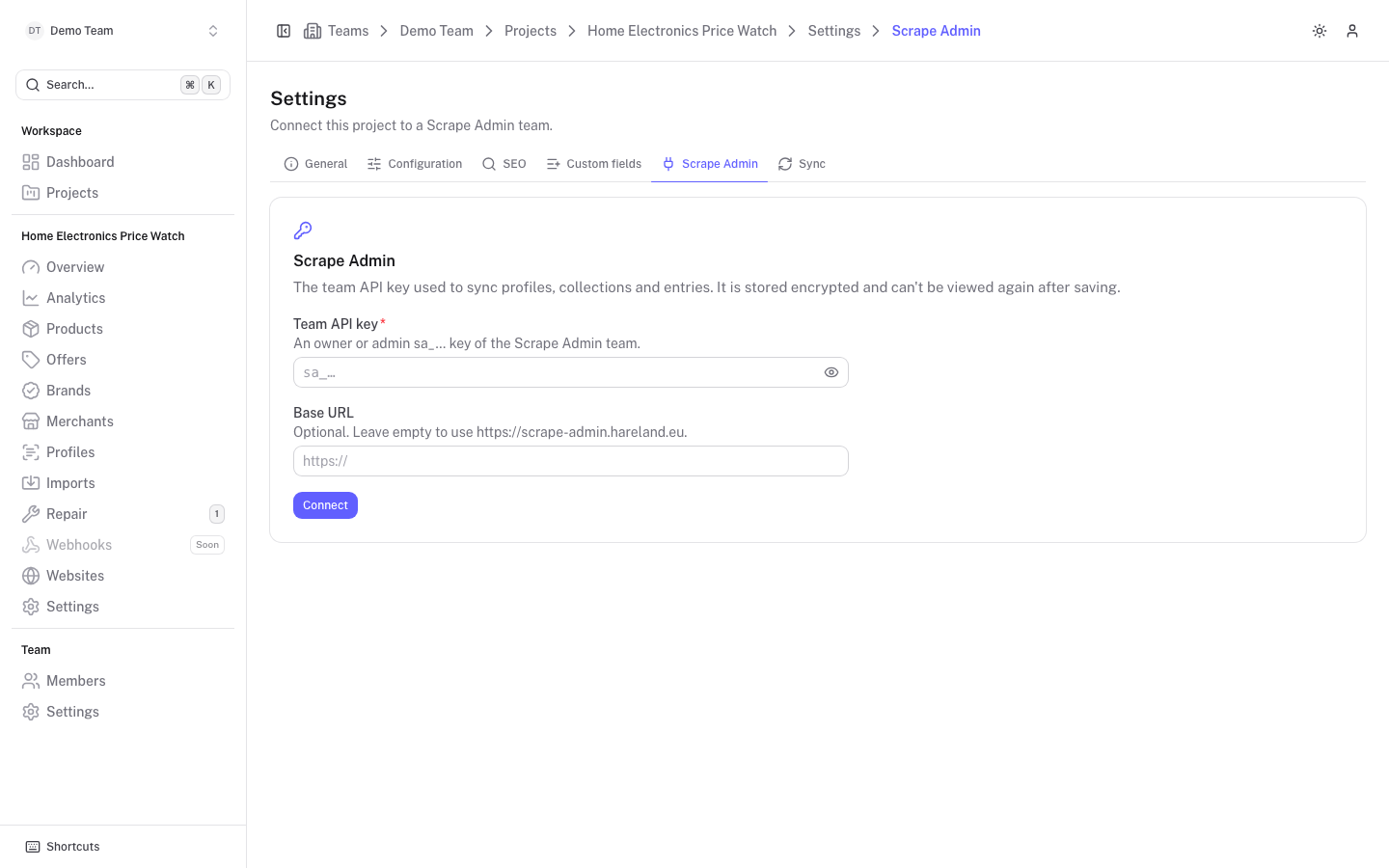
Connect a project
Create a team API key in Scrape Admin
You need an owner or admin key of the Scrape Admin team. These keys start with sa_.
Paste the key
Open Settings, then Scrape Admin. Paste the key under Team API key. The eye icon shows or hides what you type.
Set a base URL if needed
Base URL is optional. Leave it empty to use the platform's default Scrape Admin address, which is shown below the field.
Click Connect
The key is stored encrypted and cannot be viewed again. Only its last four characters are shown afterwards.
The connection card
Once connected, the card shows the API key (masked, with its role), the Team id, the Base URL (marked "platform default" when not overridden), when it was Connected and when it was Last checked. If the last check failed, a Last check failed warning shows the error.
Three buttons manage the connection:
- Test connection checks the key against Scrape Admin and reports the team name with the number of collections and profiles it can see, or the error.
- Replace key lets you enter a new key and base URL. Click Save new key to store them or Cancel to keep the old one.
- Disconnect deletes the stored key. Collections and entries in Scrape Admin are left alone, and reconnecting the same team resumes syncing.
After connecting, run a full sync to push existing profiles, merchants and offers, see Sync and reconcile.
Webhook secret
Every project has its own webhook secret, generated when the project is created. Scrape Admin sends it as a bearer token with every result, and the platform rejects results that do not carry it, see Webhooks. The secret is never shown in the interface, and the platform pushes it to the Scrape Admin entries when it syncs them.
Rotation
Rotating replaces the secret with a new one and re-syncs the entries so that they send the new token. The previous secret keeps working for 24 hours, so results that are already on their way are still accepted. After that, only the new secret is accepted.
POST /api/teams/{teamId}/projects/{projectId}/scrape-admin/rotate-webhook-secret. There is no button for it in the interface yet. The call returns the new secret once and re-syncs the entries page by page: repeat it with the returned nextCursor as cursor until done is true.If results suddenly show up as Bad secret in an offer's delivery log, the entry in Scrape Admin still has an old token. Use Push all offers with Force on the Sync tab to send every entry again with the current secret.